$325.00 + GST monthly
One concurrent Scope-Sense licence for the person actively measuring, pricing, or issuing work.
Built for small and medium construction companies that need commercial discipline without buying a heavy enterprise estimating stack.
Live product preview
One concurrent Scope-Sense licence for the person actively measuring, pricing, or issuing work.
Designed for builders, fitout contractors, flooring, plastering, joinery, roofing, and specialist trades.
One construction AI entry point for drawings, schedules, quantities, workbook rows, and project documents.
Built around role-specific decisions
Each audience page explains how the same project workspace supports different commercial responsibilities while keeping terms and checkout visible.
Scope-Sense helps estimators keep takeoff evidence and workbook pricing together.
View EstimatorsScope-Sense gives QS teams a controlled place for measured evidence, workbook cost plans, and AI-supported review.
View QS teamsScope-Sense helps contract administrators understand the commercial record behind takeoff and workbook changes.
View Contract adminsScope-Sense explains how takeoff, workbook pricing, and project document context connect before decisions are made.
View Developers and clientsFor construction companies
Scope-Sense is aimed at practical trade and building businesses: small enough to need simple licensing, serious enough to need controlled drawings, workbooks, AI help, and subcontractor knowledge in one place.
Control revisions, packages, evidence, and issued workbook outputs from one clean workspace.
Measure rooms, finishes, partitions, fixtures, joinery, and hardware without rebuilding data in spreadsheets.
Invite the people who need access while keeping billing, workbooks, and project responsibility centralized.
Workflow
Keep the commercial chain together: drawing evidence, measured quantities, workbook rates, construction AI questions, and issued pricing records.
01
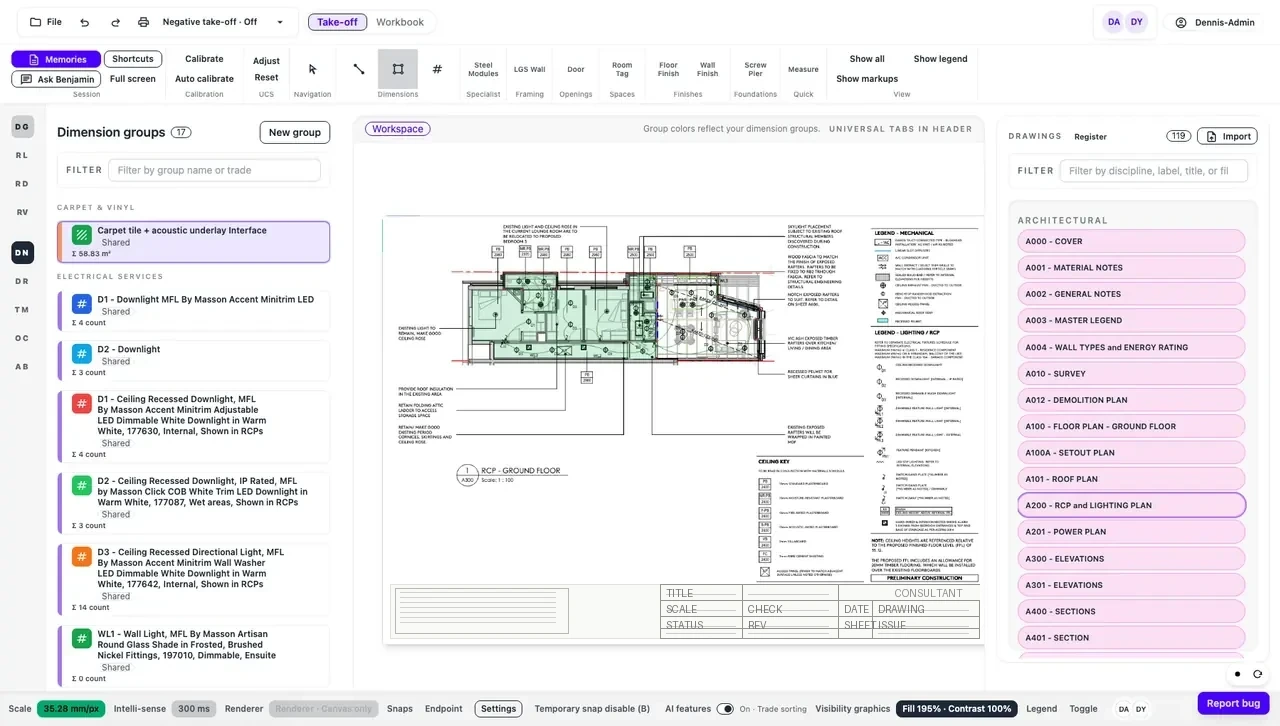
Mark up drawings, group dimensions by trade, and keep drawing evidence attached to the job.
02
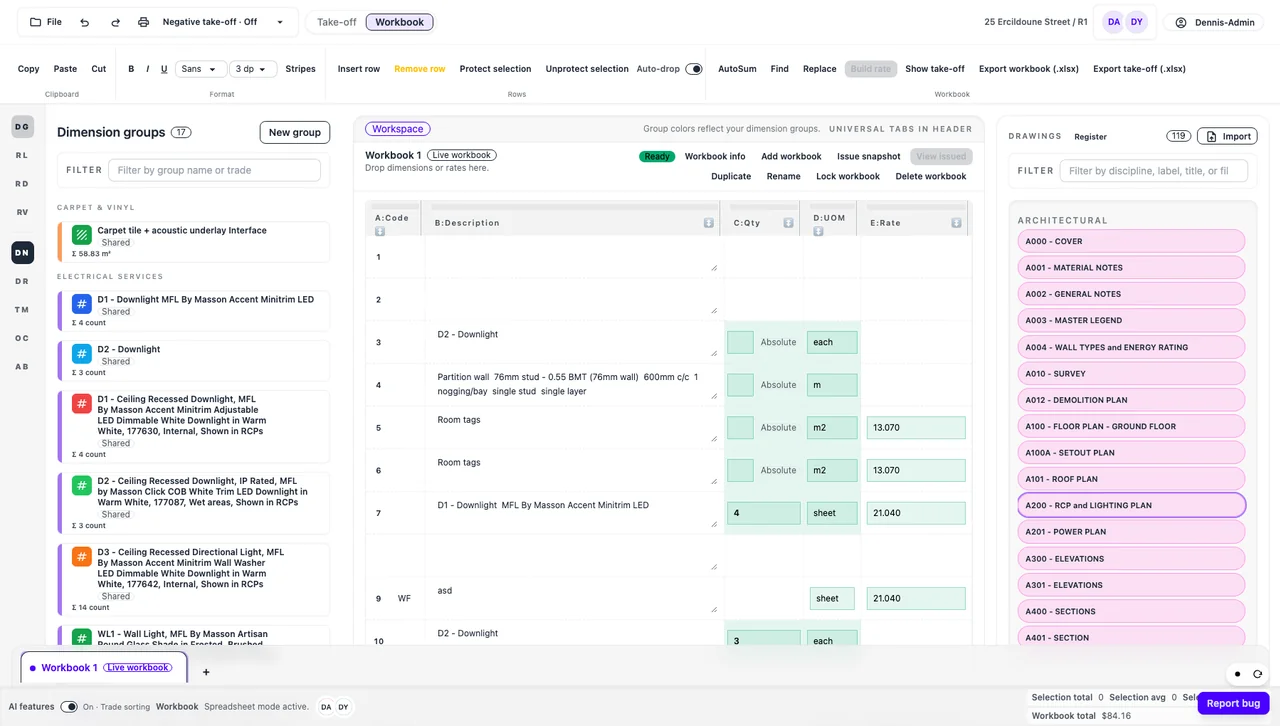
Drop quantities into the workbook, add units and rates, and keep totals visible while you work.
03
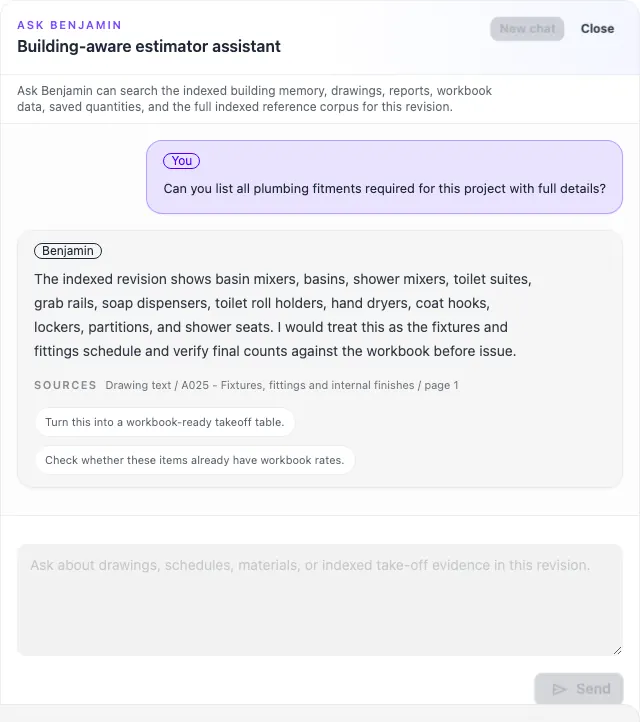
Ask Benjamin for construction-specific answers grounded in the current project documents.
04
Create controlled workbook outputs so the team knows which pricing snapshot is current.
Ask Benjamin
Ask Benjamin is branded as a main Scope-Sense feature, not a side chat. It helps your team interrogate drawings, schedules, reports, quantities, workbook rows, and indexed project documentation from one construction-specific AI entry point.
What is included
The subscription covers project storage, documentation workflows, Ask Benjamin usage, AI-assisted takeoff checks, workbook costing, and the live Scope-Sense toolset during early access.
Measure linear, area, count, LGS, steel, and specialist trade quantities without leaving the browser.
Use Ask Benjamin as one place for construction AI needs across drawings, reports, schedules, saved takeoff quantities, workbook data, and indexed project documentation.
Move measured quantities into workbook rows, apply units and rates, then issue pricing snapshots for review.
Keep drawings, revisions, reports, workbooks, and takeoff evidence in one controlled project space.
Track trusted subcontractors by trade and region so pricing knowledge stays inside the organization.
Runs in the browser, uses simple organization controls, and avoids enterprise seat waste for trade teams sharing responsibilities.
Flexible pool licensing
Trade businesses rarely need every estimator, supervisor, admin, and owner inside a takeoff app at the same time. Scope-Sense uses a pool model so one paid licence can be shared responsibly by a controlled group.
Early-access responsibility stays with your organization.
Your team must check quantities, AI answers, subcontractor records, and final estimate decisions before relying on them.
Terms before checkout
The purchase flow requires explicit acknowledgement before Stripe checkout starts. The full terms cover organization responsibility, early-access limits, AI variation, storage risk, service interruptions, and liability limits.
Read full termsReady when you are
Add more concurrent licences later when the team needs more people working at the same time.